

Most office seating problems start at the buying stage, not the setting-up stage. For businesses comparing ergonomic office seating UK options, the real challenge is finding a chair that suits the people who will actually use it. Picture an office that orders forty identical chairs because the sample felt fine. Within a few months, some staff are perched on the front edge of the seat, a couple have taken their armrests off and the tallest person on the team is sitting with their knees well above their hips. The chair worked for the person who tested it. It was never matched to the people who would use it.
Choosing ergonomic office seating in the UK is less about finding the best chair than about fitting a chair’s adjustments, build and usage rating to the people and hours it has to cope with. This guide covers what ergonomic seating means, which features matter and why, how the main chair types differ and what a business should check before ordering.
What Is Ergonomic Office Seating?
Ergonomic office seating is seating that each user can adjust to fit their body and their task, so they can work in a supported, comfortable position.
The key word is adjust. A chair isn’t ergonomic because the product page says so, or because it has a curved back and a high price. It is ergonomic to the extent that the person sitting in it can set it up properly and keep it set up.
The HSE’s guidance on good posture when using display screen equipment is a useful reference point. It describes a seat height that supports the front and back of the thighs equally, a seat back that gives good lower back support and a gap of 2–3 cm between the front of the seat and the back of the knee. Each of those points depends on a chair feature: height adjustment, a supportive and adjustable backrest and the right seat depth. That is the practical definition of ergonomic seating.
Why Does Ergonomic Office Seating Matter?
Much of the answer is legal and practical rather than abstract. Under the Display Screen Equipment regulations, employers must carry out a workstation assessment for staff who use DSE daily, as a normal part of their work, for an hour or more at a time. The HSE says assessments are also needed when a new workstation is set up, a new user starts, or a user reports discomfort. The chair is part of that assessment.
In practice, this means a chair needs enough adjustment range that problems can be fixed by adjusting it. If the only remedy is replacing the chair, the original purchase didn’t leave much room.
Two limits are worth stating plainly. A good chair reduces the risk factors in a workstation, but it doesn’t remove the need for sensible desk, screen and keyboard positions. And a chair doesn’t replace movement. The HSE recommends short, frequent breaks or changes of activity, such as five to ten minutes every hour rather than a long break every couple of hours. Even the best seat is a poor substitute for getting up.
What Makes an Office Chair Ergonomic?
No single feature makes a chair ergonomic. The useful question is whether the chair offers the right adjustments, whether users can actually reach and understand the controls and whether the build will hold those settings over time.
Adjustable Seat Height
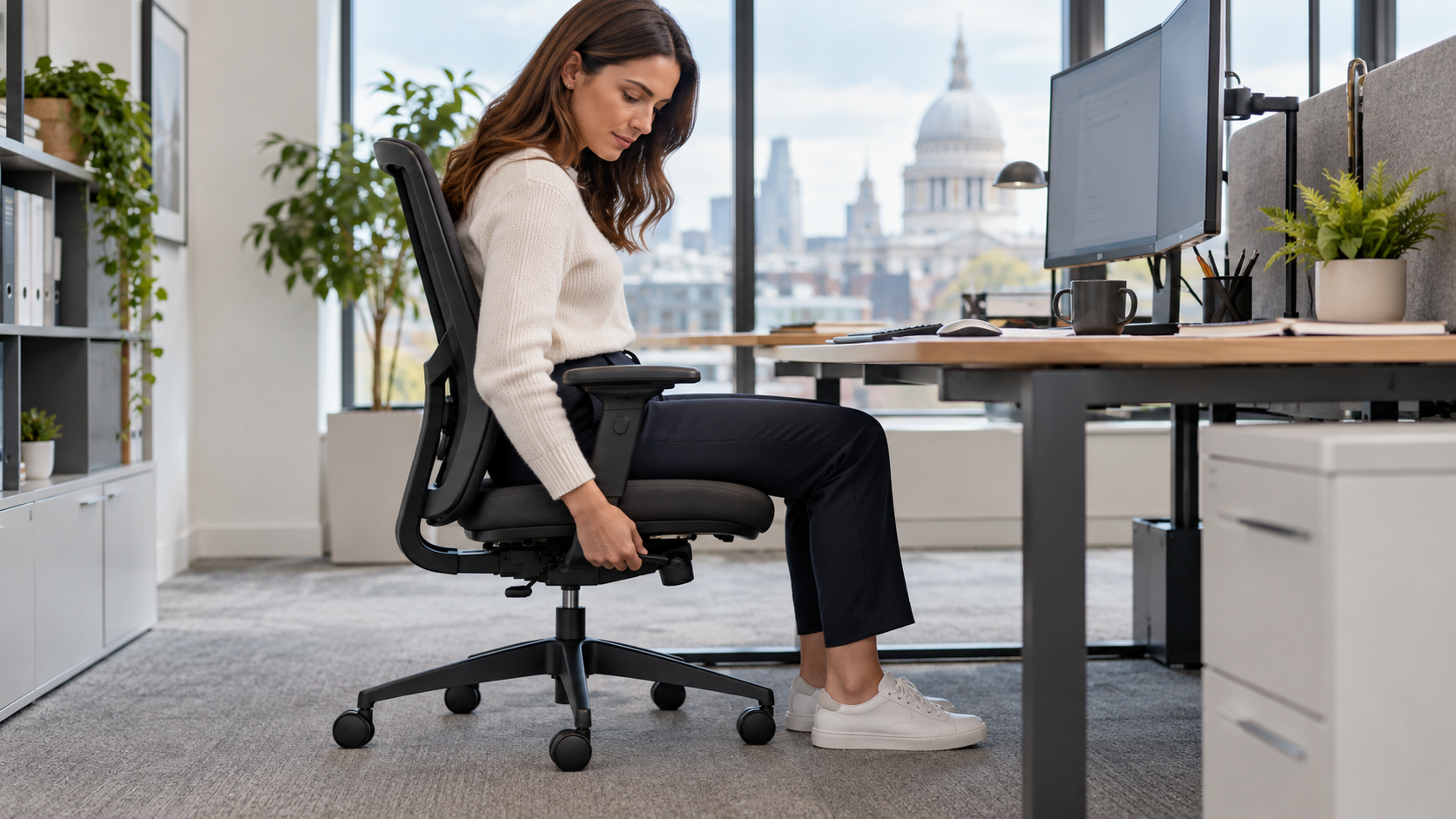
Height adjustment, usually by a gas lift, is the most basic requirement. It decides whether feet can rest flat on the floor and whether the thighs are properly supported. It also sets where the forearms land relative to the desk.
The range matters as much as the feature. A chair that lowers enough for a shorter user may not rise enough for a taller one. If a desk is fixed at one height and a shorter user has to raise the chair to reach it, their feet may no longer touch the floor and a footrest becomes part of the solution. Check the minimum and maximum seat heights, not only whether the chair has a lever.
Seat Depth
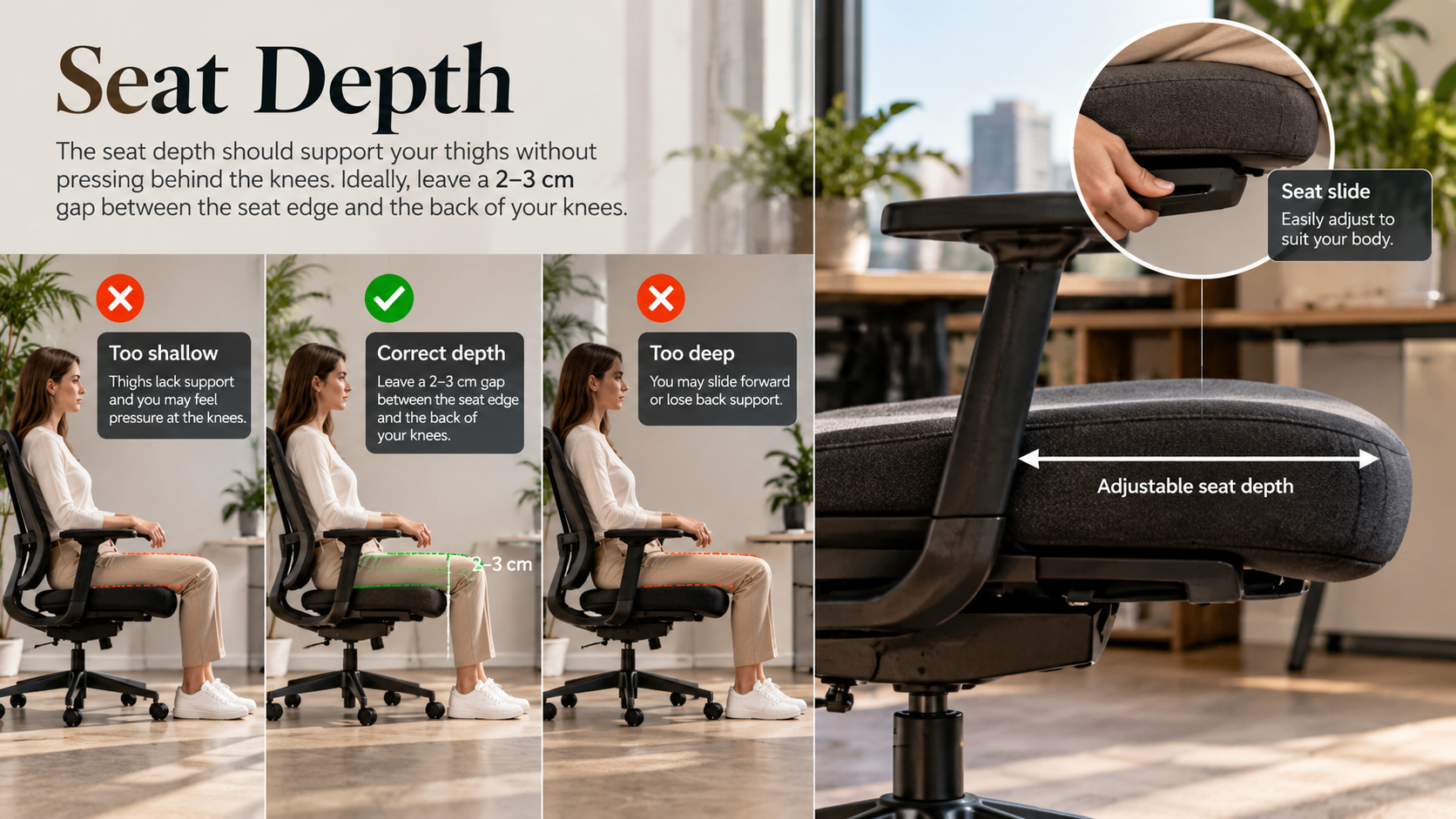
Seat depth is often overlooked and it causes more day-to-day problems than people expect. If the seat is too deep for the user, they either slide forward and lose the backrest or sit fully back with the seat edge pressing behind the knees. If it is too shallow, the thighs lose support.
A seat slide lets users restore that 2–3 cm gap. Where the people using a chair are of similar build, a fixed-depth seat can be perfectly adequate. Where chairs are shared, or the team varies widely in height, seat depth adjustment earns its place.
Lumbar and Lower Back Support
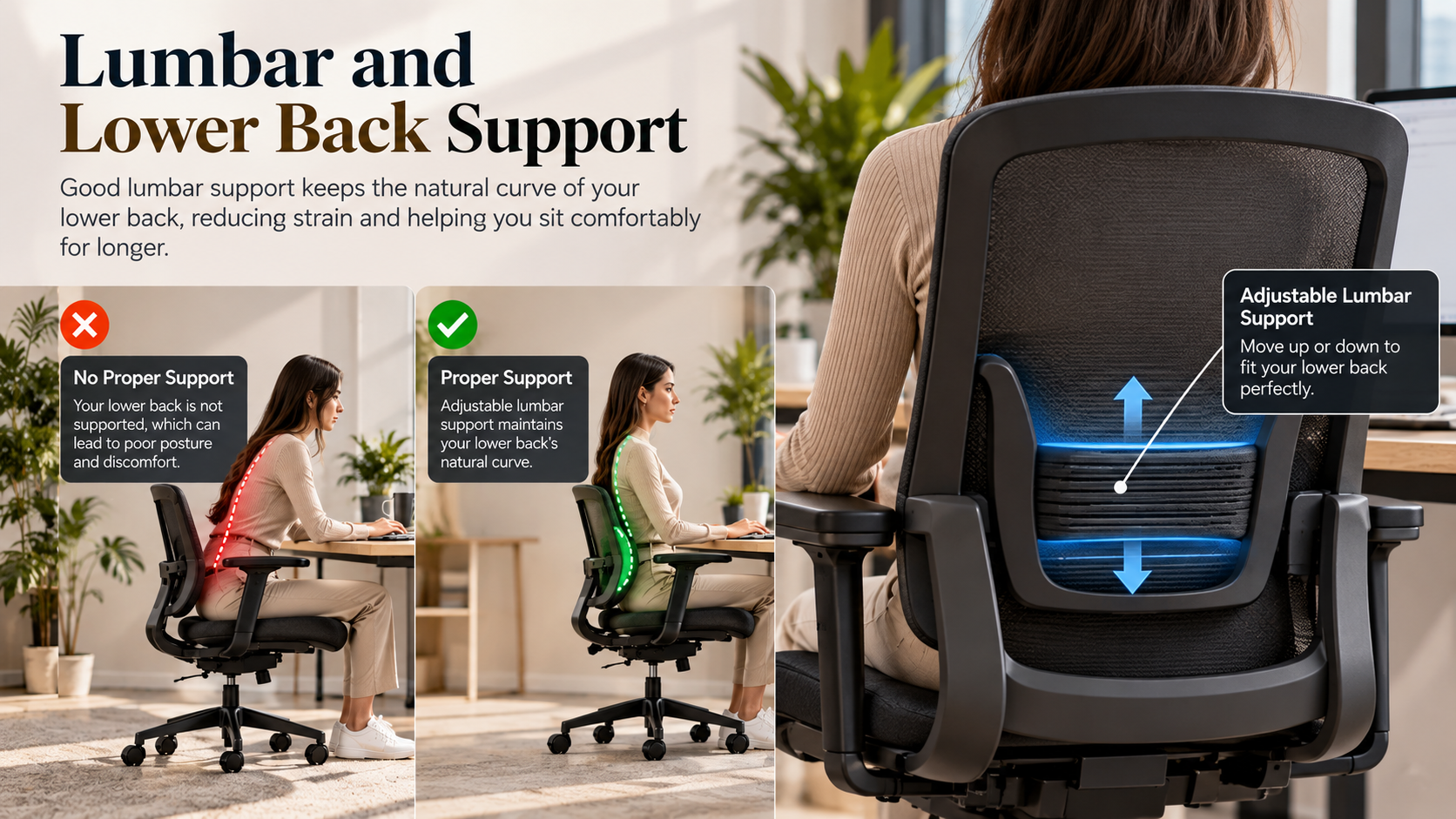
The point of lumbar support is that the backrest meets the lower back at the right height. Whether a chair has a pronounced lumbar curve matters less than whether that support can sit in the right place for the individual.
A height-adjustable backrest or adjustable lumbar section handles this. A fixed contour suits users whose proportions happen to match it and is a gamble for everyone else. For single-user workstations, a fixed-back chair can work well once someone has tried it. For shared or varied seating, adjustability is the safer choice.
Adjustable Armrests
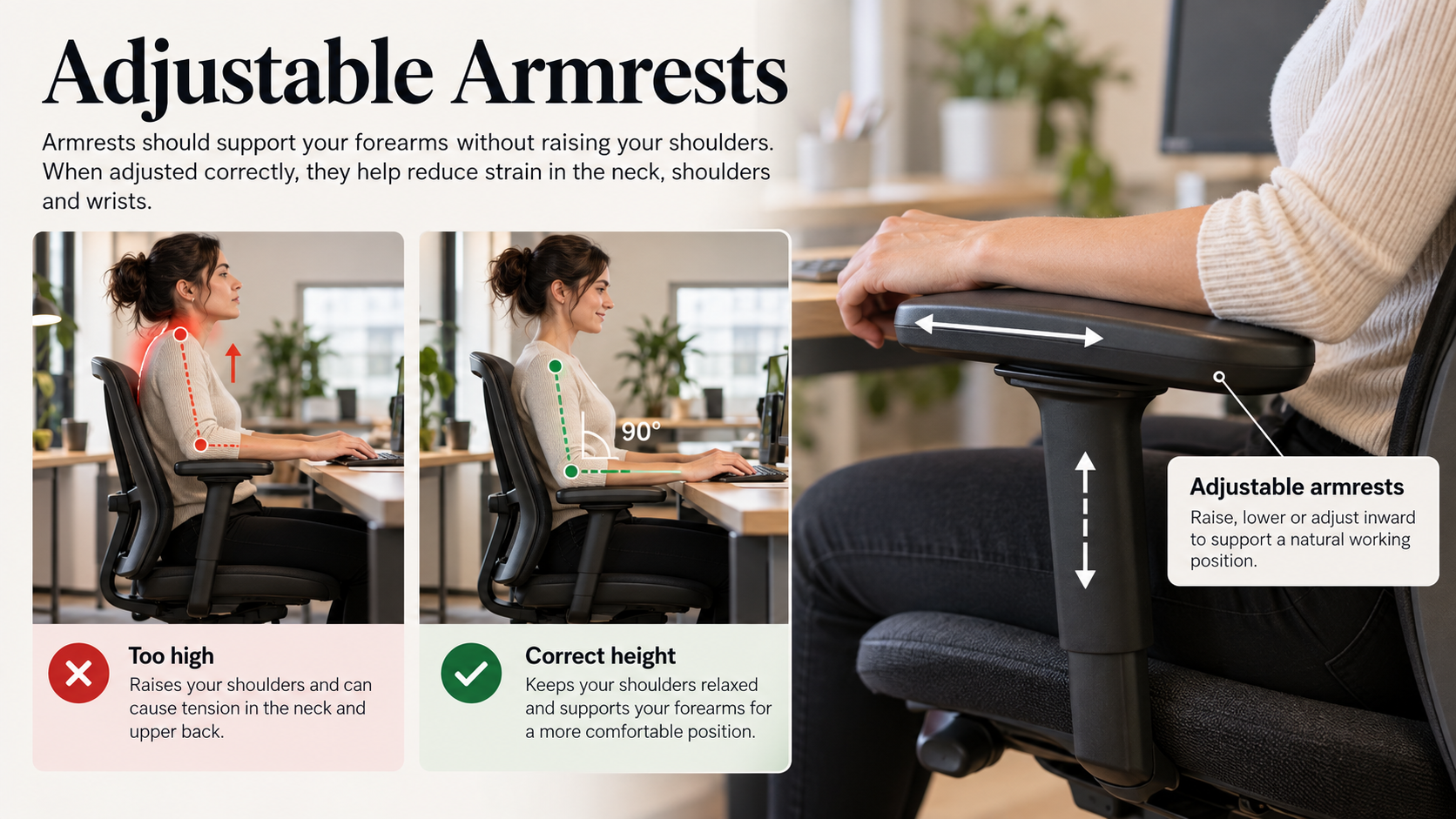
Armrests are useful when set correctly and a nuisance when they aren’t. Set too high, they push the shoulders up. Set too wide or too long, they stop the chair getting close to the desk, which pulls the user into leaning forward. The HSE’s guidance on workstation set-up points the same way: keep shoulders relaxed and keep the keyboard close.
Height-adjustable arms are the baseline. Some chairs also allow width and angle adjustment. Fixed arms are common on cheaper chairs and tend to be the first thing staff remove. Armless or removable-arm options suit some tasks well.
Backrest and Tilt
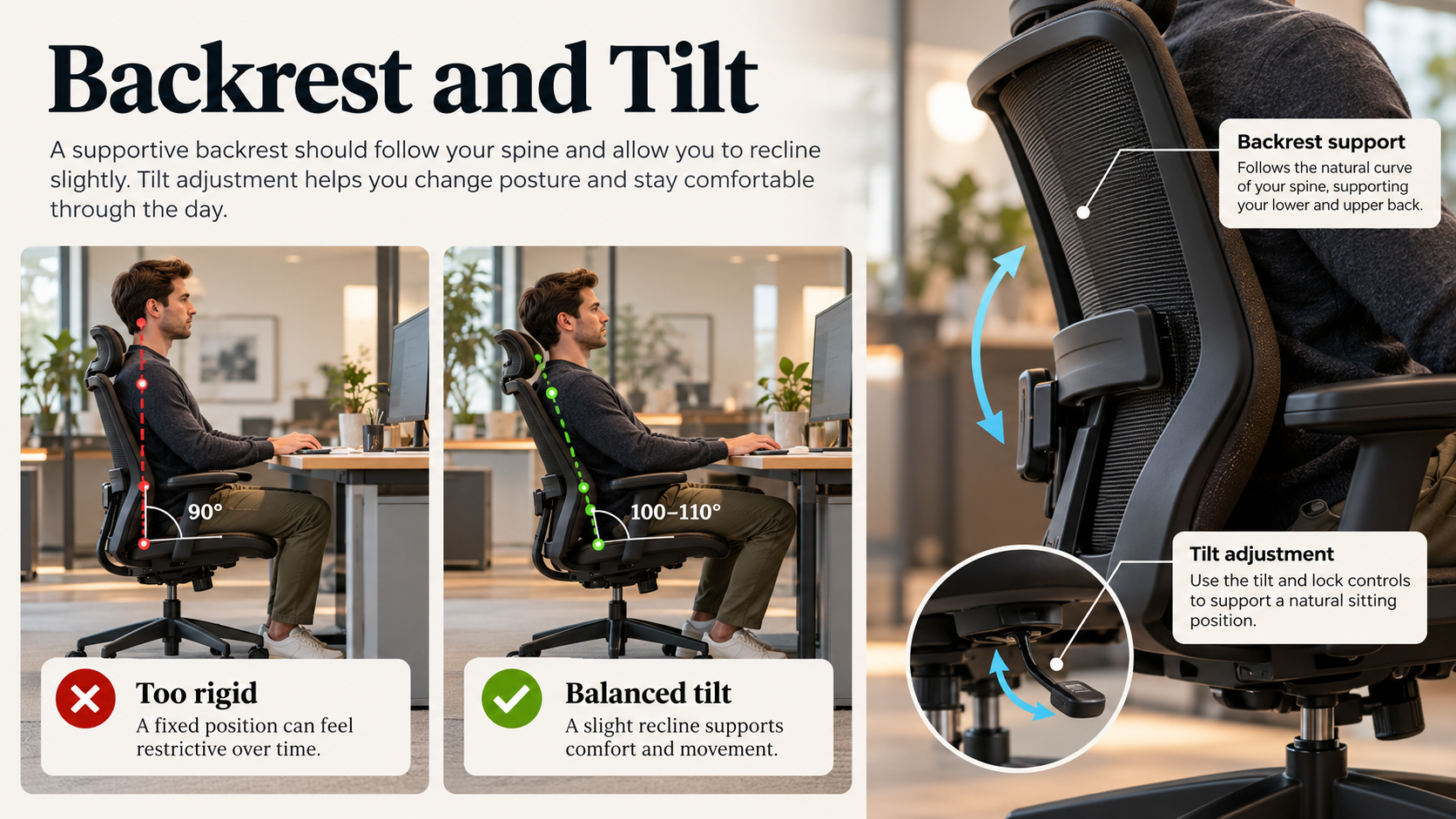
The tilt mechanism controls how the backrest and seat move as the user leans back. A synchronised mechanism moves the seat and back together at a set ratio, which keeps the user supported as they recline. Simpler mechanisms tilt the whole seat or only the back.
The details that matter in everyday use are tension adjustment, so the chair responds to the user’s weight and the ability to lock the backrest upright for focused work. A mechanism that is fiddly or hard to find tends to go unadjusted, which defeats the purpose of having it.
Seat and Backrest Materials
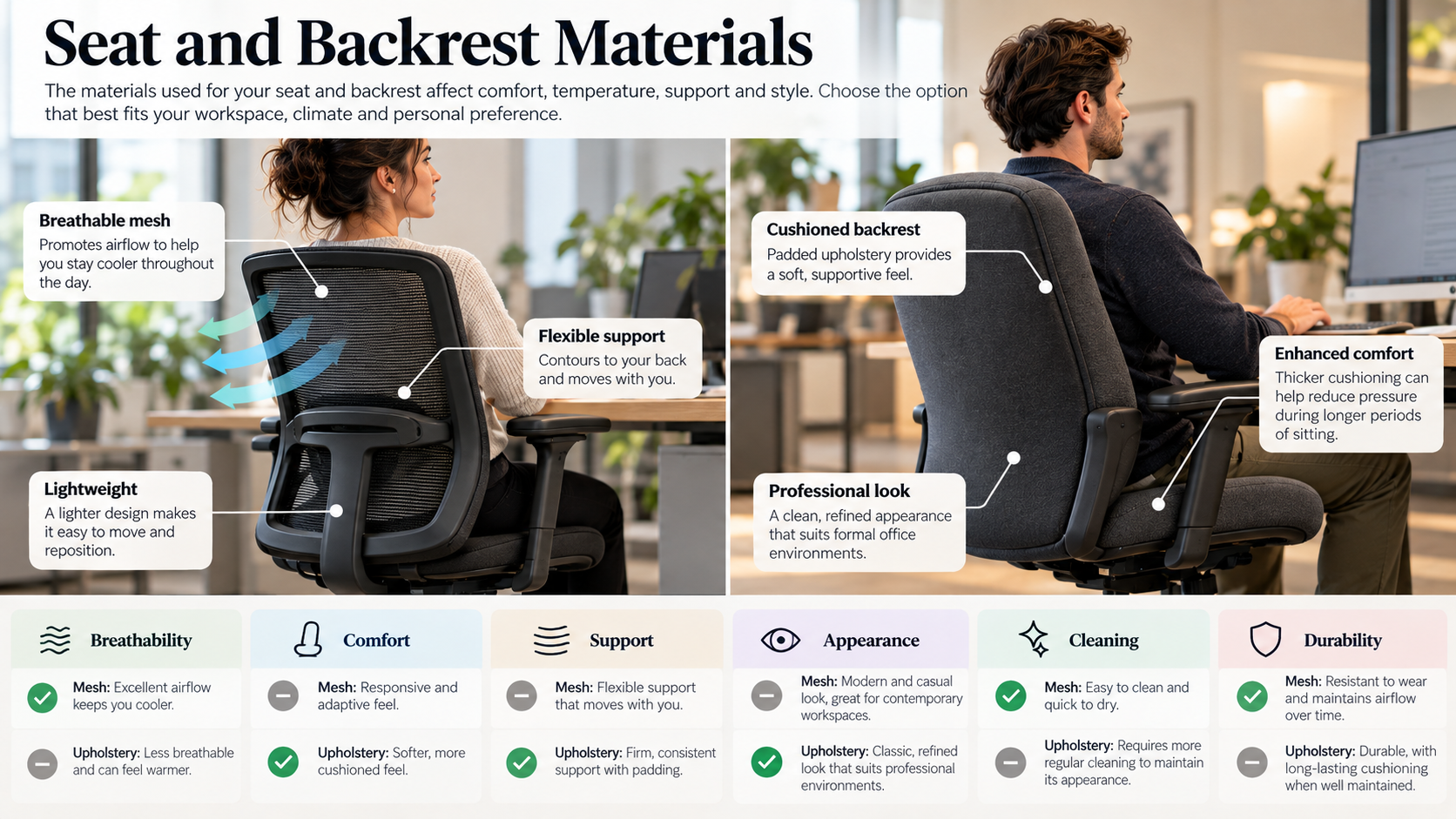
Materials affect heat, cleaning, appearance and how the chair wears. The mesh versus upholstery question has its own section below. For now, it’s enough to say that the choice should follow the environment and the hours of use, not fashion.
Base and Castors
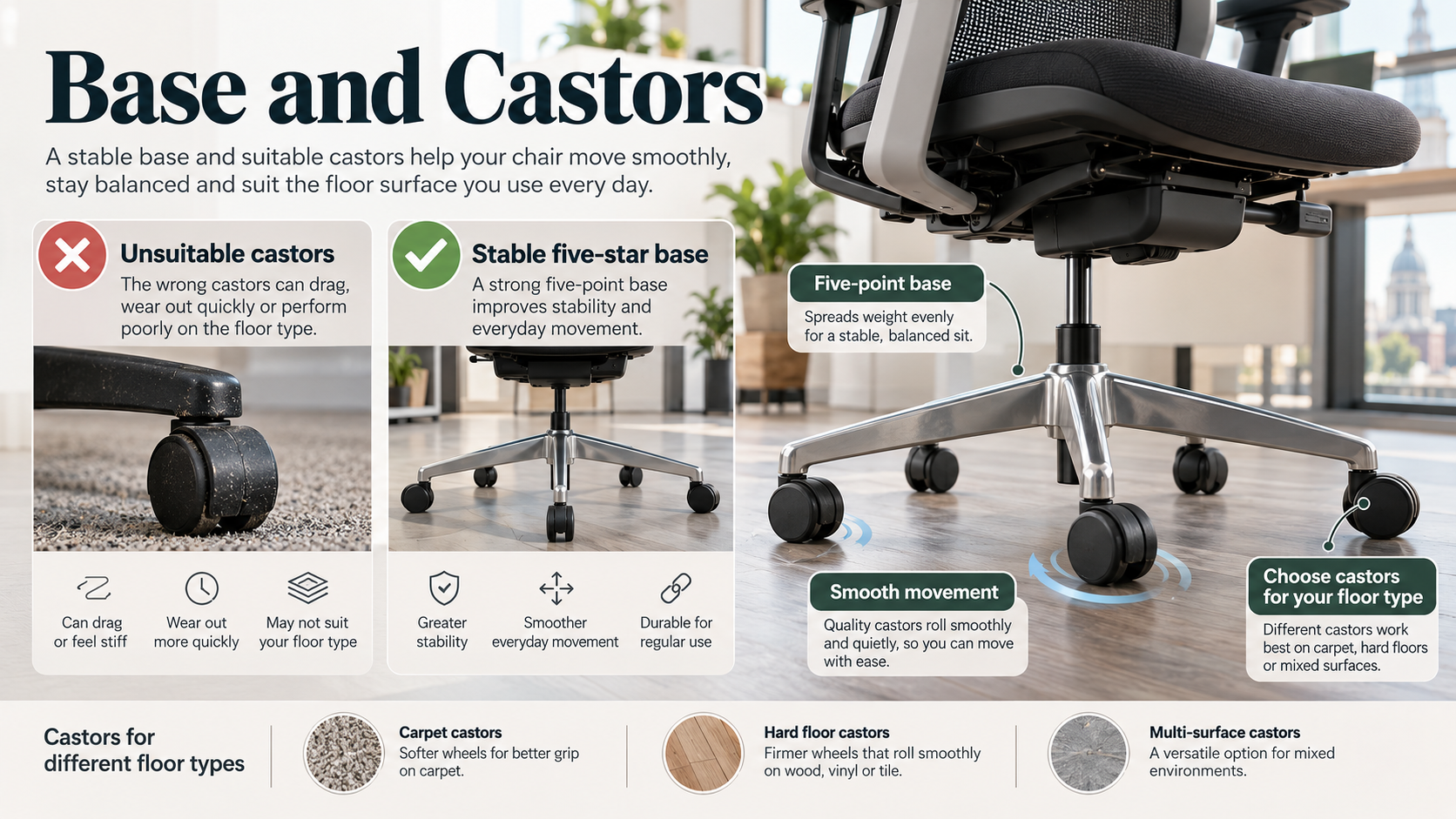
A five-point base is the standard for stability. Castors should suit the floor. Hard castors are usually fitted for carpet and soft or braked castors are generally better for hard floors, where hard castors can roll too freely. It’s a small specification detail that decides whether a chair stays where the user put it.
How Do You Choose the Right Office Chair?
Start with the people and the hours, then move to the chair. A workable order looks like this:
- Working hours. A chair for someone at a desk most of the day needs more adjustment and a sturdier build than one used for occasional admin. Be honest about how long people really sit.
- The role. Call handling, drawing, data entry, supervising and reception all involve different postures and different amounts of movement.
- Who uses it. One person on a fixed desk can tolerate a chair set up once and left alone. Hot desks and shared workstations need chairs where the controls are obvious and the adjustment range covers a wide range of users.
- The workspace. Desk height, floor type and available space all affect the choice. A chair with large arms and a wide base may simply not fit the layout.
- Weight capacity. Check the stated capacity rather than assuming. Standard office chairs and heavy-duty chairs are built and tested differently and a chair used regularly near its limit will wear faster.
- Budget against service life. The purchase price tells you very little on its own. Think about how long the chair should realistically last under your usage and what it will cost to repair or replace.
What Type of Office Chair Is Best for Different Workplaces?
There is no universally best category. Each type is a set of trade-offs and the right one depends on the answers above.
Task and Operator Chairs
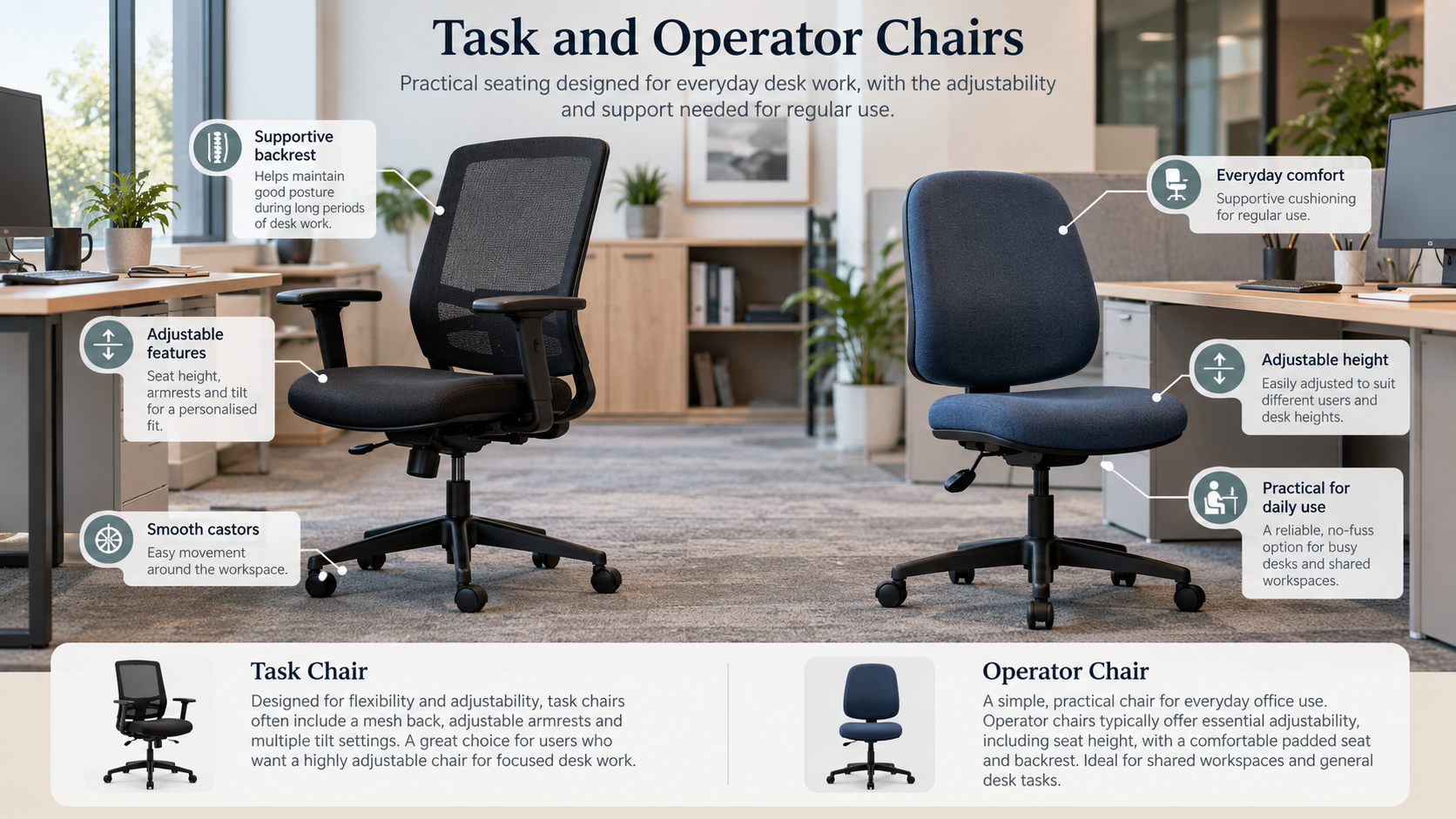
Task and operator chairs are the working core of most offices. Typically they offer height adjustment, a backrest that tilts and a simpler mechanism than posture chairs. They suit straightforward desk work, mixed teams and larger fit-outs where consistency and cost control matter. Check how much adjustment a specific model gives, since this category varies widely.
Posture Chairs
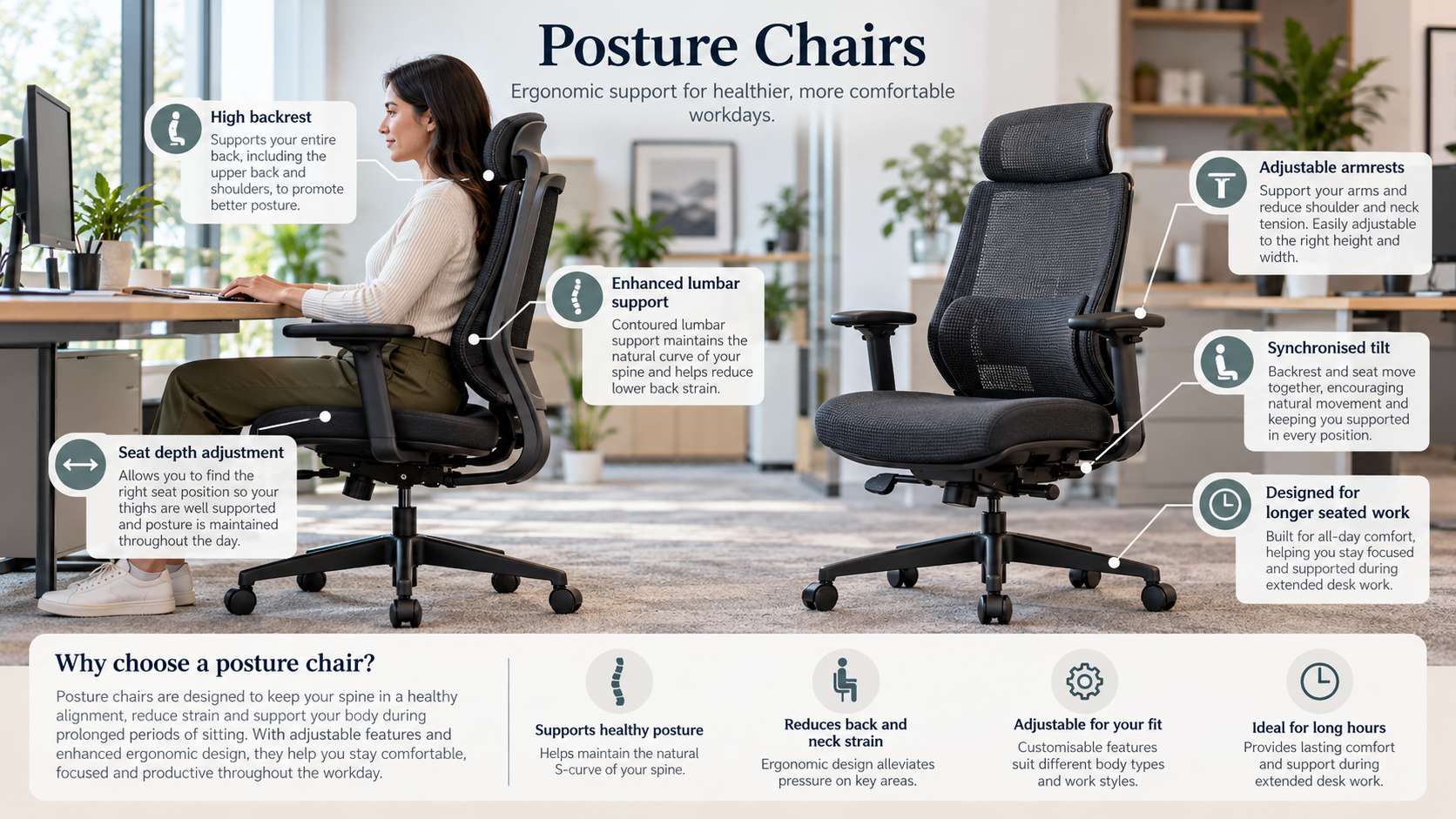
Posture seating usually offers a wider range of adjustment, such as seat depth, backrest height and tilt, so users can fine-tune support. It tends to suit staff who sit for long periods, or workplaces where DSE assessments have identified individual needs. The trade-off is cost and the fact that more adjustment only helps if staff are shown how to use it.
Mesh Office Chairs
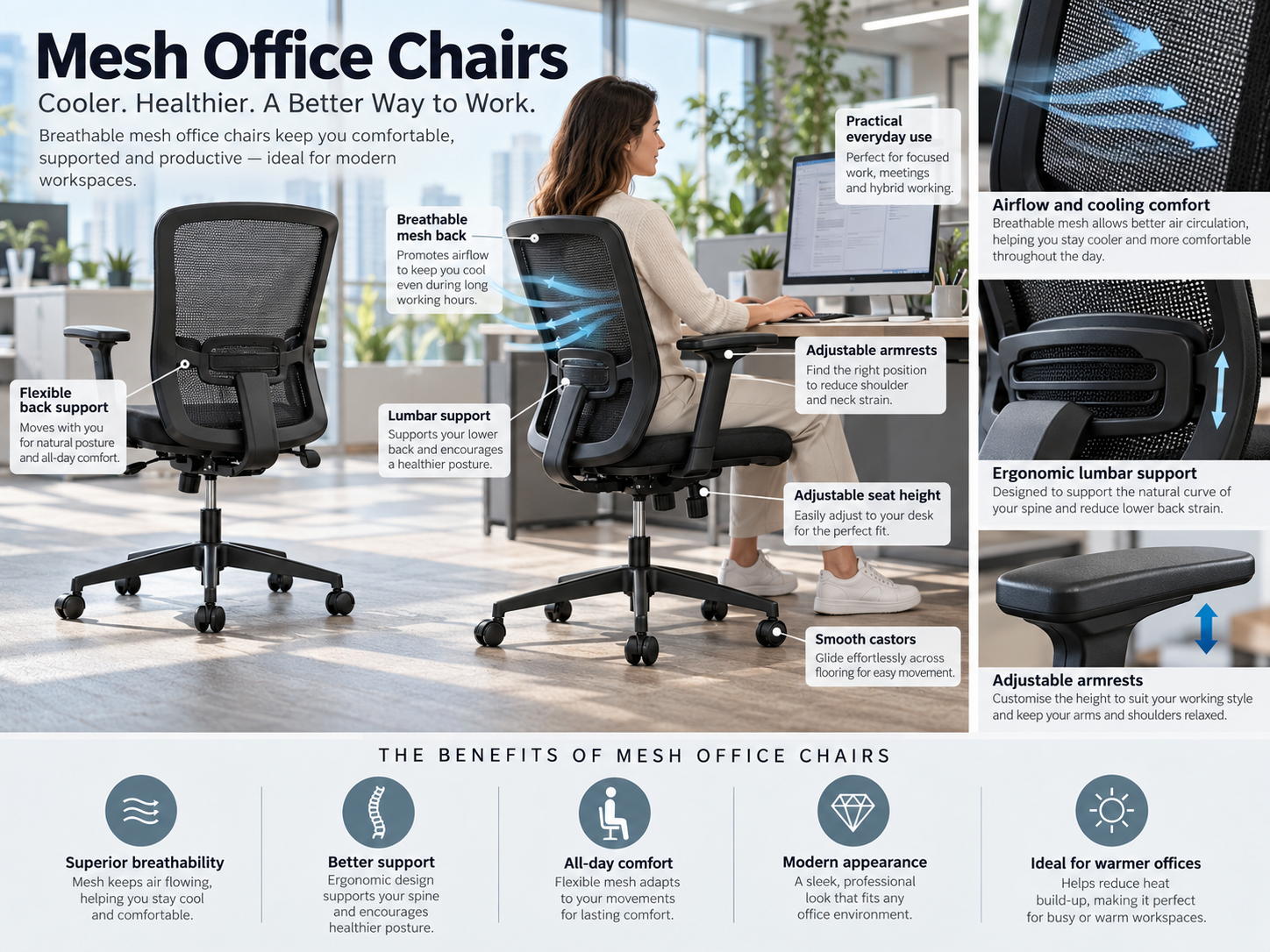
Mesh seating uses a breathable mesh back, and sometimes a mesh seat. It is popular in warm offices and for people who run hot. Quality varies a lot, and support depends on the frame and mesh tension, so mesh isn’t automatically better or worse than upholstery. A direct comparison follows below.
Executive Chairs
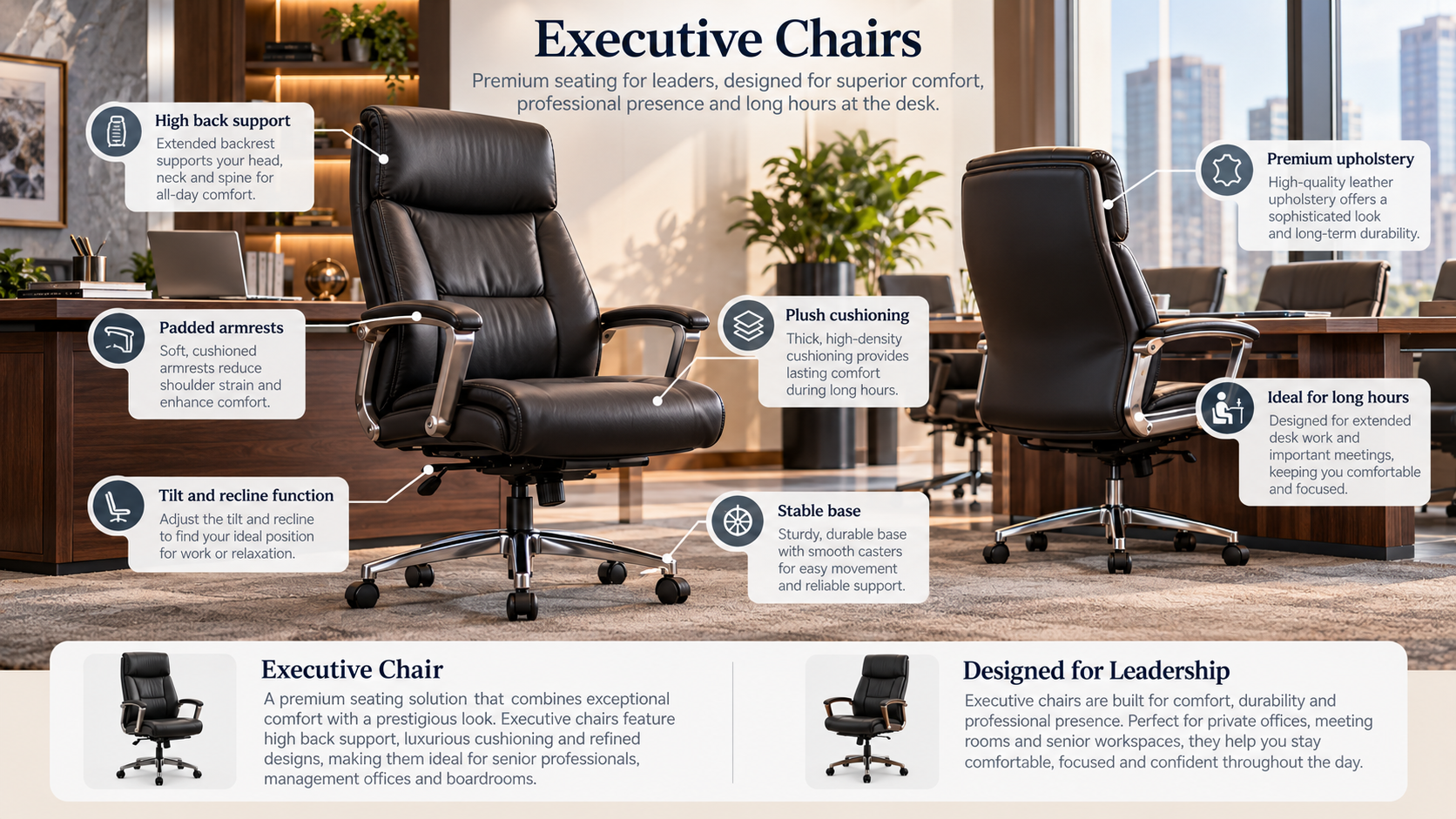
Executive seating generally means higher backs, fuller upholstery and a more formal appearance. It suits private offices and boardroom-adjacent spaces. Some executive chairs are properly adjustable. Others put appearance ahead of adjustment, so look at the mechanism and not just the styling.
Heavy-Duty and 24-Hour Chairs
Heavy-duty and 24-hour seating is built for continuous or multi-shift use, or for higher user weights. Typical settings include control rooms and call centres. A “24-hour” rating doesn’t have a single universal definition, so ask what testing the claim rests on. A chair built to be used by several people across a rolling shift pattern is also usually built to be adjusted frequently, which is worth checking.
Conference and Meeting Chairs
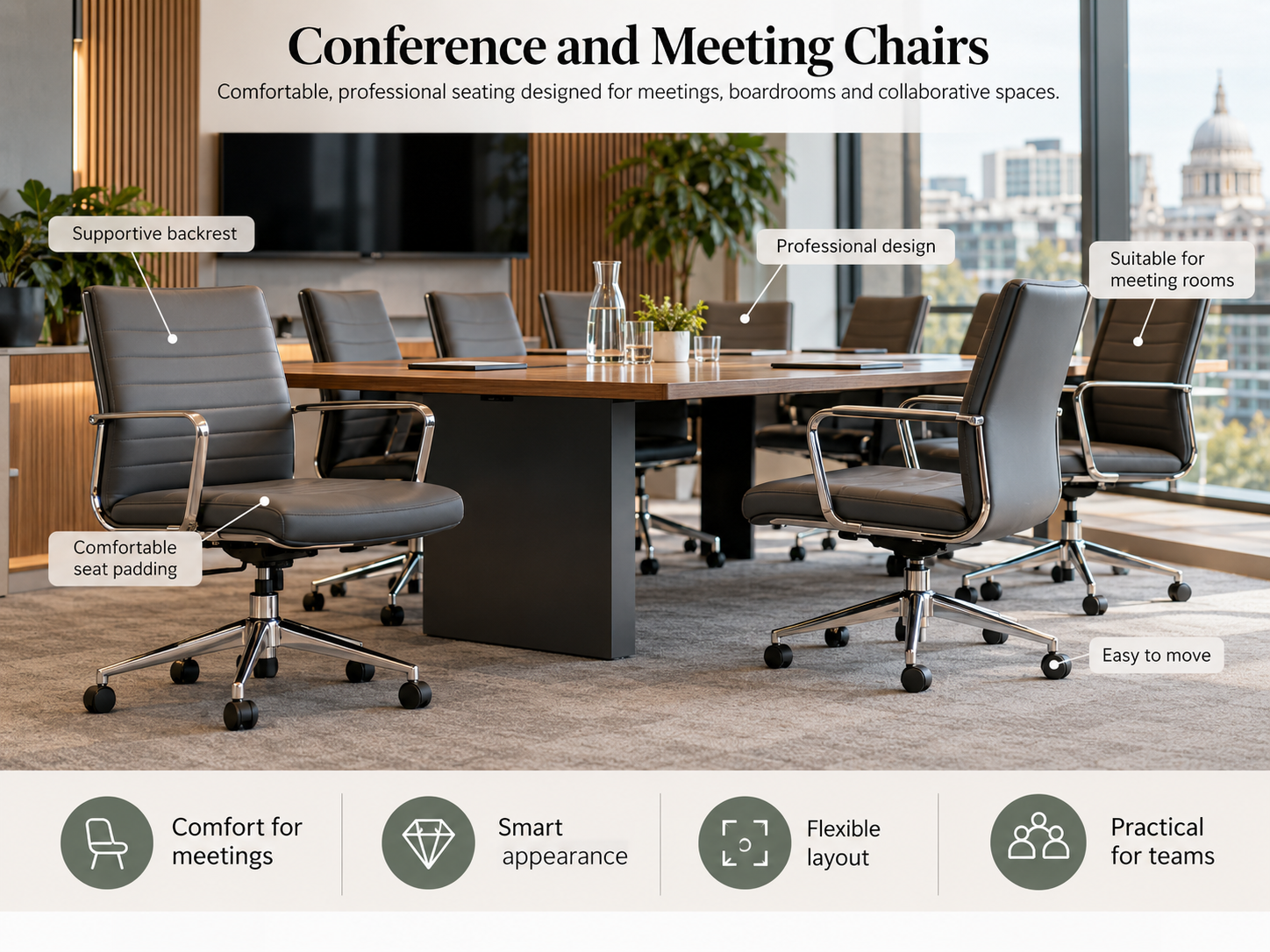
Conference and meeting seating is used for shorter sits, often one to two hours, so the priorities shift towards appearance, stackability or consistent sizing and easy movement. It shouldn’t be treated as a substitute for desk seating. If a room doubles as a working space, specify accordingly.
Ergonomic Office Seating for Long Working Hours
There is no single best chair for eight hours at a desk, but a chair meant for that use should have, at minimum, adjustable seat height, an adjustable backrest, appropriate seat depth and a mechanism that holds its settings. Adjustable arms, a tilt mechanism with tension control and a durable build help further.
Long-hours seating deserves a bit more scrutiny than occasional-use seating:
- Fit to the user. Someone sitting eight hours a day will notice a poor fit far sooner than someone sitting for one. Where possible, let those users try the chair first.
- Set-up and training. A short walk-through of the controls usually does more than any feature. Many chairs are never adjusted past the height lever.
- Rating for the hours. Check the manufacturer’s intended usage and weight rating for the actual pattern of use.
- Breaks and movement. As the HSE notes, a chair works alongside regular breaks, not instead of them.
- Reassessment. Bodies, tasks and desks change. An annual look at workstation set-ups costs little.
Mesh vs Upholstered Office Chairs
Neither is better across the board. The table shows the general tendencies and individual models can differ.
| Factor | Mesh | Upholstered (fabric, vinyl, leather) |
| Breathability | Generally cooler, with more airflow | Warmer, depending on foam and covering |
| Comfort | Support depends on frame and mesh tension; can feel firm | Cushioning feels forgiving at first; foam can compress with age |
| Maintenance | Dusts and vacuums easily; can snag | Fabric can stain; vinyl and leather wipe clean |
| Appearance | Contemporary, technical look | Wider colour and finish options, more traditional |
| Durability | Good frames last; weaker mesh can sag | Depends on foam density and covering quality |
| Best environments | Warm offices, long hours, open-plan | Private offices, reception, areas needing wipe-clean surfaces |
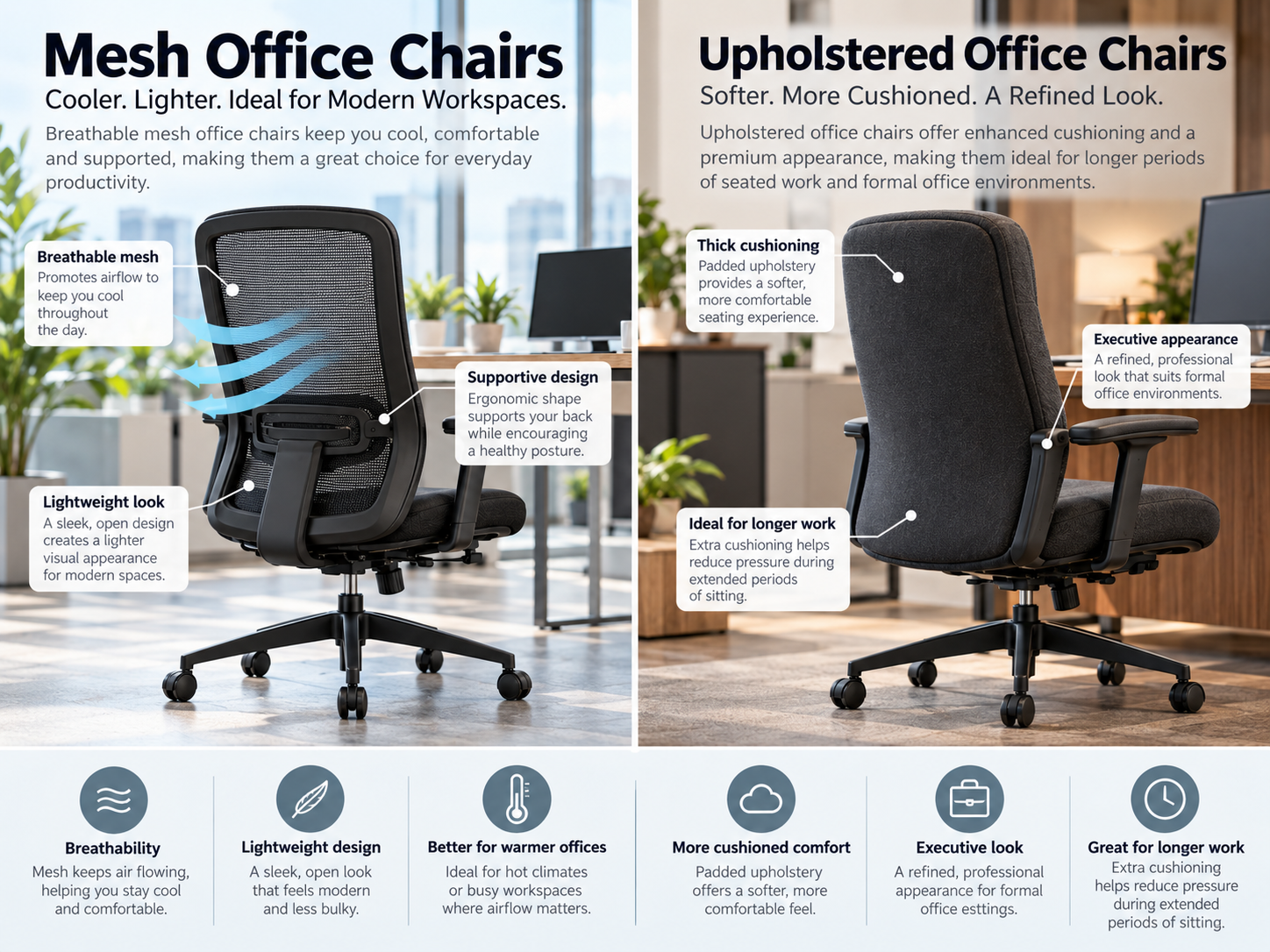
In a warm, busy open-plan office, mesh often makes sense. In a space that needs frequent cleaning, or where a softer finish is wanted, upholstery may be the better fit. For larger orders, trialling both with real users beats guessing.
What Should Businesses Look for When Buying Office Seating?
- Build quality. Look at the frame, base, gas lift and mechanism, because those are the parts that fail. Handle a sample before committing to volume.
- Adjustability. Match the adjustment range to your users, as above.
- Durability and usage rating. Ask what hours of use and what user weight the chair is designed for.
- Warranty. Read what the warranty covers and for how long and whether components like gas lifts, mechanisms and castors are included.
- Standards. Ask for test evidence that relates to the exact model you’re buying (see below).
- Delivery and installation. For larger orders, find out whether chairs arrive built, whether installation is offered and how delivery is scheduled.
- After-sales support. Find out how to get spare parts, such as castors, arms and gas lifts and how replacements are handled.
- Bulk orders. Ask about quantity pricing and whether a mixed order can be matched in finish.
- Re-ordering. Offices grow and chairs get replaced. Check whether the same model and fabric can be supplied again and what happens if a range is discontinued. Matching new chairs to old ones is much harder than it looks.
Office Seating for Different UK Workplace Environments
Open-plan offices. Visual consistency, easy adjustment for hot-desking and a footprint that suits tighter layouts all matter. Task or mesh chairs are common.
Private offices. There’s more room for individual preference. Executive or posture chairs both fit, depending on how long the occupant sits and how much adjustment they need.
Home offices. For employees working from home, the HSE has guidance on home working with display screen equipment, so employers still have a role to play. A dining chair isn’t a substitute for a work chair. Florenzo lists a home working collection.
Reception areas. Seating here is for short, visitor-facing use, where appearance, cleaning and robustness matter more than fine adjustment. See breakout and reception and classic reception seating.
Meeting rooms. Consistency, comfort across a typical meeting length and ease of movement take priority.
Schools. Furniture should be sized for the age and size of the pupils using it. Adult office chairs are rarely a good fit and educational seating is designed with different requirements in mind.
Control rooms and continuous-use environments. Several people may use the same chair across a day, so wide adjustment range, easy-to-find controls and a build rated for continuous use all count.
How Much Should Businesses Spend on Ergonomic Office Seating?
There isn’t a correct figure and quoting one would be guesswork. What a business spends should reflect what it needs the chair to do. The main cost drivers are:
- chair type and category
- materials, such as mesh, fabric, vinyl or leather
- mechanisms and range of adjustment
- build and durability
- usage rating, from occasional to continuous
- quantity ordered
- warranty terms
- delivery and installation
The cheapest chair is not necessarily the best value. A chair that fails early, or that staff can’t adjust to fit, costs more over time. The most expensive chair isn’t automatically right either. Paying for adjustments nobody uses, or for a finish that doesn’t suit the room, is money spent on the wrong thing. A useful test is to compare cost against realistic service life for your usage, not against sticker price.
Understanding Office Chair Standards
The standard most often referenced for office seating in the UK is BS EN 1335, the British implementation of the European standard for office work chairs. It is split into parts.
BS EN 1335-1 covers dimensions. The current edition listed is BS EN 1335-1:2020+A1:2022, which the standard describes as “Office work chair, Dimensions. Determination of dimensions”.
BS EN 1335-2 covers safety, strength and durability. According to FIRA, the UK furniture industry body, the 2018 edition replaced the 2009 version and refers to the test methods in BS EN 1022 (strength and durability) and BS EN 1728 (stability).
A few points of practical sense for buyers:
- A chair tested to BS EN 1335 has been assessed against defined safety and durability requirements. That tells you something useful, but it doesn’t mean the chair is ergonomically right for any given person.
- Test evidence applies to a specific model. Ask for it for the exact chair you’re buying and not for the manufacturer in general.
- Standards are updated, so confirm the edition that applies at the time of purchase.
How Florenzo Furniture Can Help
Florenzo Furniture is a UK furniture supplier, wholesaler and distributor. It supplies office seating and commercial furniture to businesses and other professional settings. Its seating ranges include posture, task and operator, mesh, executive, heavy-duty and 24-hour, conference and meeting, educational, breakout and reception and home working collections. You can browse them from the main product page.
For larger purchases, the website also lists bulk quotations, pre-built chairs, installed furniture and project coordination among its additional services. The site states that a warranty applies. Check the cover for the specific range you’re ordering. Specifications such as adjustment range, weight rating and standards testing should be confirmed with the team for each model, so ask for them before you order.
Trade and bulk enquiries can be made through the contact page.
Frequently Asked Questions
What is ergonomic office seating?
Ergonomic office seating is seating that users can adjust to fit their body and their work, so they stay supported in a comfortable position. What matters is the chair’s adjustment range and how well it’s set up, not the label.
What makes an office chair ergonomic?
A chair is generally considered ergonomic when it offers adjustable seat height, a backrest that supports the lower back, suitable seat depth and where fitted, adjustable armrests. A tilt mechanism and a stable base add to that. The HSE’s posture guidance is a good checklist for what the chair should allow.
What is the best office chair for 8-hour work?
There isn’t one best chair for everyone. For full-day use, look for good adjustability across seat height, backrest and seat depth, a mechanism that holds its settings and a build rated for the hours involved. Let users try the chair first and combine it with regular breaks.
Are mesh office chairs ergonomic?
They can be. Mesh describes the material and not the design. An ergonomic mesh chair needs the same adjustments as any other, such as seat height, back support and seat depth. Mesh helps with airflow, but the support depends on the frame and mesh quality.
What is the difference between a task chair and a posture chair?
A task chair offers the core adjustments for everyday desk work. A posture chair typically offers a wider range, such as seat depth, backrest height and tilt, to suit longer sitting and more varied users. Posture chairs generally cost more and the extra adjustment is only valuable if users know how to use it.
Are ergonomic office chairs worth the cost?
For people who sit for long periods, usually yes, provided the chair fits them and is set up properly. For businesses comparing ergonomic office seating UK options, a more adjustable chair can be a better long-term purchase than a cheap one that gets replaced early or doesn’t suit its users. A higher price on its own doesn’t guarantee a better fit.
How long should an office chair last?
It depends on build quality, usage hours, user weight and maintenance, so no single figure applies. A chair used eight hours a day will wear faster than one used occasionally. Ask the supplier about the intended usage rating and the warranty and about the availability of spare parts.
What should businesses consider when buying office chairs in bulk?
When planning ergonomic office seating UK purchases in bulk, think about the users and hours, adjustment range, usage rating and weight capacity, delivery and installation, warranty and spares. Ask for a sample, test it with your shortest and tallest users and check that the model and finish can be re-ordered later.
Do office chairs need to meet specific UK standards?
Employers must make sure DSE workstations, including the chair, are suitable for users. BS EN 1335 is the standard widely used as a benchmark for office work chair dimensions, safety and durability. Ask suppliers for test evidence for the specific model and confirm the current edition at the time of purchase.
Final Thoughts
Good ergonomic office seating UK businesses can rely on comes down to a few unglamorous decisions. Be realistic about how long people sit, choose chairs that adjust enough for the people who’ll use them and check the build and test evidence before ordering volume.
Before committing to a large order, get a sample, let your shortest and tallest staff try it and show them how the controls work. That one session often tells you more than a specification sheet. Then reassess occasionally, because teams and desks change and so do the chairs that suit them.